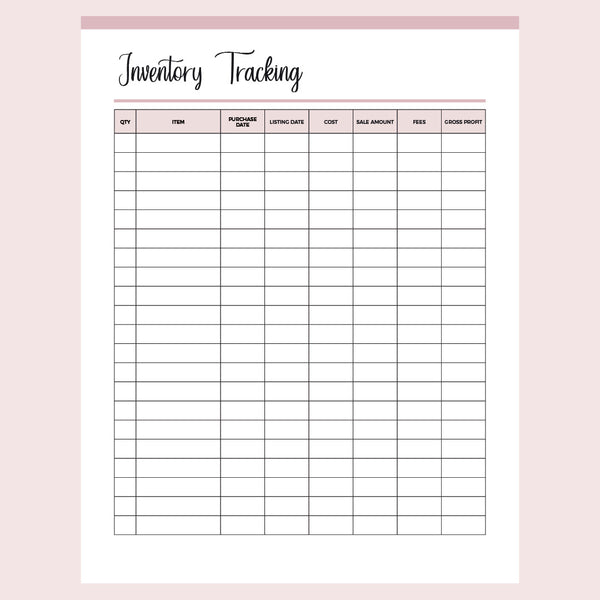
Inventory tracker for online resellers
This inventory tracker follows each item from the day you buy it to the day it sells, with fields for cost, sales amount, fees and gross profit. It's built for online sellers.
Some sellers make their own products and others buy stock to resell on eBay or Craigslist, and the same eight fields cover both.
Fields on the inventory tracking sheet
- Quantity
- Item
- Purchase date
- Listing date
- Cost
- Sales amount
- Fees
- Gross profit
Filling in the inventory tracker
Write down the item, quantity, purchase date and cost when new stock arrives. Add the listing date once it goes live in your shop, then fill in the sales amount and fees after it sells.
Gross profit is the last field.
Work it out from the sales amount, cost and fees for that item, and you'll have a dated paper record of each sale to hand when you sort out your tax deductions.
Sizes, colors & business planner packs
You'll get the printable inventory tracker as a zipped folder of PDF files in A4 & US Letter sizes. Each size comes in eight colors, so you can color code by product type or by selling platform:
- Red
- Orange
- Yellow
- Green
- Blue
- Pink
- Purple
- Grey
It's also included in many of our business planner packs, so check those before buying this sheet on its own.
Questions about this inventory tracking form
Can I type into it on my computer? No, this version is a print-only PDF, so you'll write each sale in by hand after printing. The inventory sales tracker in the list below has the same eight fields in an editable file.
Is this the same as the printable inventory sheet? This one follows each resold item from purchase date to gross profit. The inventory sheet is for counting stock, with space for target quantity and quantity in stock.
Related business printables
See all printables for business owners.
Instant digital download; nothing is shipped. PDF files aren't editable. For personal use only; please don't redistribute or resell. © Plan Print Land